
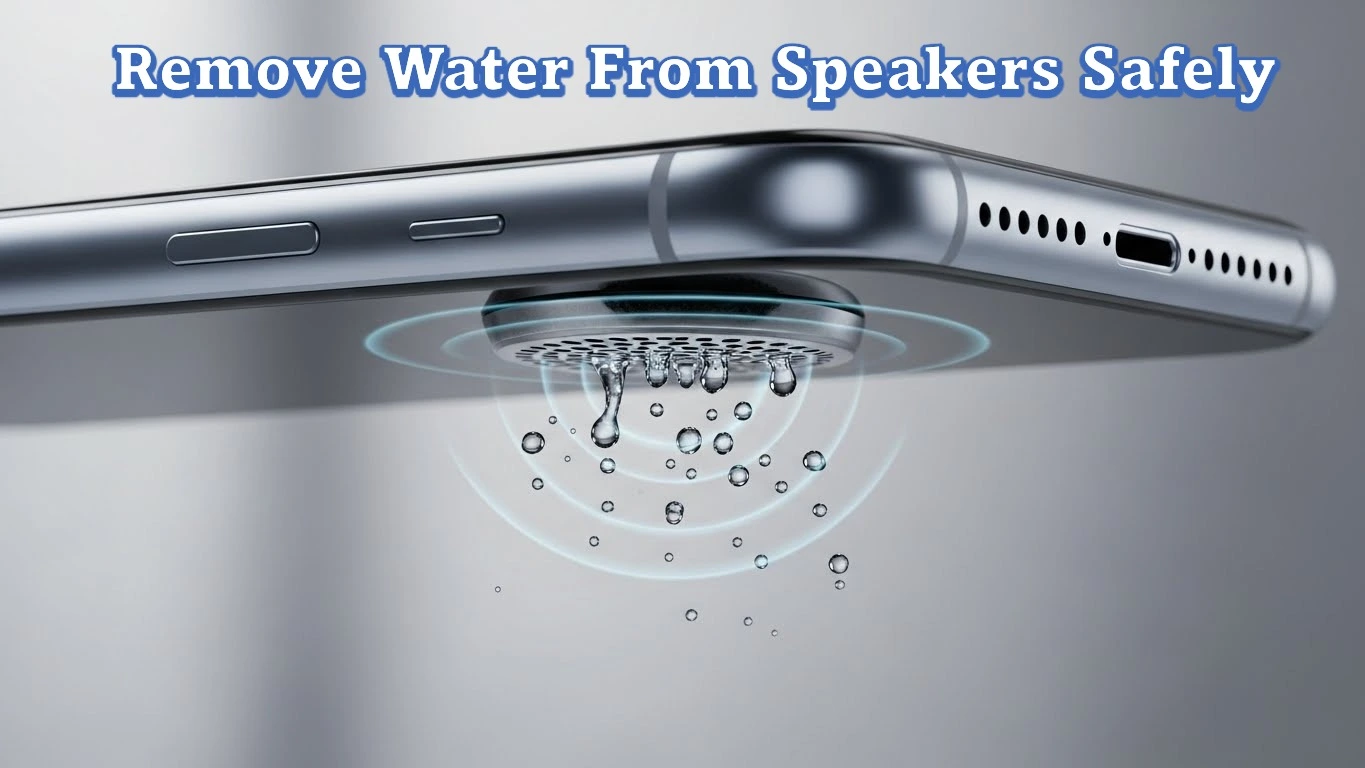
Use an online tool like Fix My Speaker by placing the speaker facing downward and playing the tool’s controlled sound frequencies.
The vibrations push trapped water and fine moisture out of the speaker, restoring clear sound without opening the device.
💧 What Does an Online Speaker Water Removal Tool Do?
An online speaker water removal tool uses controlled sound frequencies to push trapped water out of the speaker chamber. The process relies on vibration, not physical contact.
When sound waves play at specific frequencies, they force moisture to move outward through the speaker grille. This restores normal speaker vibration and improves sound clarity.
These tools work without opening the device. They are designed to support safe water removal, reduce muffled audio, and help recover normal speaker output after moisture exposure.
⚠️ Why Water Gets Trapped Inside Speakers?
Water enters and stays inside speakers due to open sound pathways. Speaker ports allow airflow for sound but also let moisture pass through.
💦 Direct Water Exposure
Water reaches the speaker through spills, rain, or washing the device. Even short exposure allows liquid to collect inside the speaker chamber.
🌫️ Humidity and Steam
Moist air condenses inside speakers during high humidity or steam exposure. This creates internal moisture without direct contact with water.
Trapped water restricts speaker vibration and blocks airflow, leading to muffled sound and reduced volume.
🧠 How Sound Frequencies Help Remove Water From Speakers?
Sound frequencies remove water by restoring speaker vibration and forcing trapped moisture outward. This method works through controlled audio movement, not physical contact.
🔊 Sound Vibrations Push Water Outward
Low and mid-range frequencies create vibration inside the speaker chamber. This vibration loosens water droplets and pushes them toward the speaker grille.
🎚️ Different Frequencies Target Different Moisture Levels
Water does not sit at one level inside the speaker. Changing frequencies helps move moisture trapped at multiple internal depths.
📉 Restored Vibration Improves Sound Clarity
Once water exits, the speaker diaphragm moves freely again. This restores clear sound, normal volume, and stable audio output.
Sound-frequency-based removal is effective because it works with the speaker’s natural movement instead of forcing external pressure.
🛠️ How Can You Use an Online Tool Like Fix My Speaker to Remove Water?
Using an online speaker water removal tool requires correct positioning and controlled playback. Proper use improves water release and restores speaker clarity safely.
🔊 Play Controlled Sound Frequencies
The Fix My Speaker tool is available on this page: https://fixmyspeakerr.in/.
The tool plays different controlled audio frequencies that create vibration inside the speaker chamber. These vibrations help push trapped water droplets outward through the speaker grille.
📱 Position the Speaker Facing Down
Keep the device so the speaker opening faces downward. Gravity supports sound vibrations and allows water to exit more efficiently during playback.
⏱️ Repeat Frequency Playback if Needed
Water may remain at different internal levels. Repeating the sound cycles helps remove deeply trapped moisture and improves results.
🔉 Stop When Sound Becomes Clear
Stop playback once sound returns to normal clarity and volume. Continued use is unnecessary after moisture is removed.
Using the tool correctly restores normal speaker vibration without opening the device or applying physical force.
🧪 How Can You Check If Water Is Fully Removed?
Confirming complete moisture removal prevents recurring muffled sound and protects speaker performance. Use simple audio checks before regular use.
🔉 Test With Audio Tones
Play audio test tones to check frequency balance and stability. Clear output without crackling indicates proper speaker vibration.
🗣️ Check Voice Playback
Play voice recordings to assess speech clarity. Voices should sound sharp and easy to understand at normal volume.
🎵 Verify With Music Playback
Play music tracks with bass and treble. Balanced sound confirms restored speaker clarity and airflow.
🔊 Increase Volume Gradually
Raise volume step by step to maximum. Stable loudness without distortion confirms water is fully removed.
Successful testing indicates the speaker has returned to normal, reliable audio output.
🚫 What Should You Avoid While Using Online Speaker Tools?
Avoiding incorrect actions is essential when removing water using online speaker tools. These mistakes reduce effectiveness and increase damage risk.
🔥 Do Not Use Heat or Hair Dryers
Heat damages internal seals and speaker components. It increases corrosion instead of removing moisture safely.
📌 Do Not Insert Objects Into the Speaker
Pins, needles, or sharp tools damage the speaker diaphragm. This causes permanent distortion and volume loss.
🔊 Do Not Play Sound at Maximum Volume
Excessive volume stresses the speaker while moisture is present. This can push water deeper into internal components.
⚡ Do Not Charge the Device During Water Removal
Charging while moisture remains increases the risk of short circuits and internal damage.
🔁 Do Not Rush the Process
Stopping sound-frequency playback too early leaves moisture behind. Complete cycles improve water removal effectiveness.
🧠 When an Online Tool Is Not Enough?
Online sound-frequency tools are effective for fresh moisture and light water exposure. Some conditions require additional action.
🔧 Persistent Muffled Sound After Repeated Use
If sound remains unclear after multiple frequency cycles, water may be trapped deeper or mixed with debris.
⚠️ Distortion or Crackling at Low Volume
Distortion at normal volume levels indicates speaker diaphragm stress or early internal damage.
🔌 No Sound Output After Drying
Complete sound loss suggests internal corrosion or a hardware fault unrelated to removable moisture.
🛠️ When Professional Repair Is Required?
Professional inspection is needed when sound does not recover after proper tool use and testing. Internal components may require repair or replacement.
✅ Conclusion
Online speaker water removal tools provide a safe, effective, and non-invasive way to clear moisture from speakers. Controlled sound frequencies restore normal vibration, improve audio clarity, and reduce muffled sound without opening the device.
Correct usage, proper positioning, and careful testing ensure reliable results. When sound does not recover after repeated use, professional repair is the appropriate next step. Apply the method early to maintain clear, stable, and dependable speaker performance.
❓ Frequently Asked Questions About Online Speaker Water Removal Tools
This section provides clear answers to common questions about using online sound-frequency tools to remove water from speakers.
1. Do online speaker tools really remove water?
Yes, controlled sound frequencies create vibration that pushes trapped water out through the speaker grille.
2. How long should I play sound frequencies?
Play frequencies until sound clarity returns, usually within a few minutes depending on moisture level.
3. Are sound-based water removal tools safe for speakers?
Yes, when used correctly, they are non-invasive and do not require opening the device.
4. Can these tools remove dust along with water?
Yes, fine dust particles may also move out due to vibration during frequency playback.
5. What should I do if sound stays muffled after using the tool?
Persistent muffling indicates deep moisture or hardware damage, which may require professional repair.

E aí, pessoal! Encontrei um app novo, o VZ99App. Alguém já usou? Tô procurando um lugar novo para jogar e queria saber se alguém recomenda. Veja aqui: vz99app
I started playing on me88onlinecasino last week. It’s okay! A lot of the games are kinda same-y, but it’s still pretty good. Check it out here: me88onlinecasino
Yo, 8iplgame! Heard some buzz about this one. Gotta check it out tonight with the crew, see if it lives up to the hype. Fingers crossed for some wins! 8iplgame